> ## Documentation Index
> Fetch the complete documentation index at: https://getbuildify.mintlify.site/llms.txt
> Use this file to discover all available pages before exploring further.
# Quickstart Guide
> A quick guide on how to get started with Buildify.
This quick start guide will assist you in getting started with Buildify, obtaining your Buildify API key and product ID, and making it easy for you to use our API. A quick guide on how to get started with Buildify.
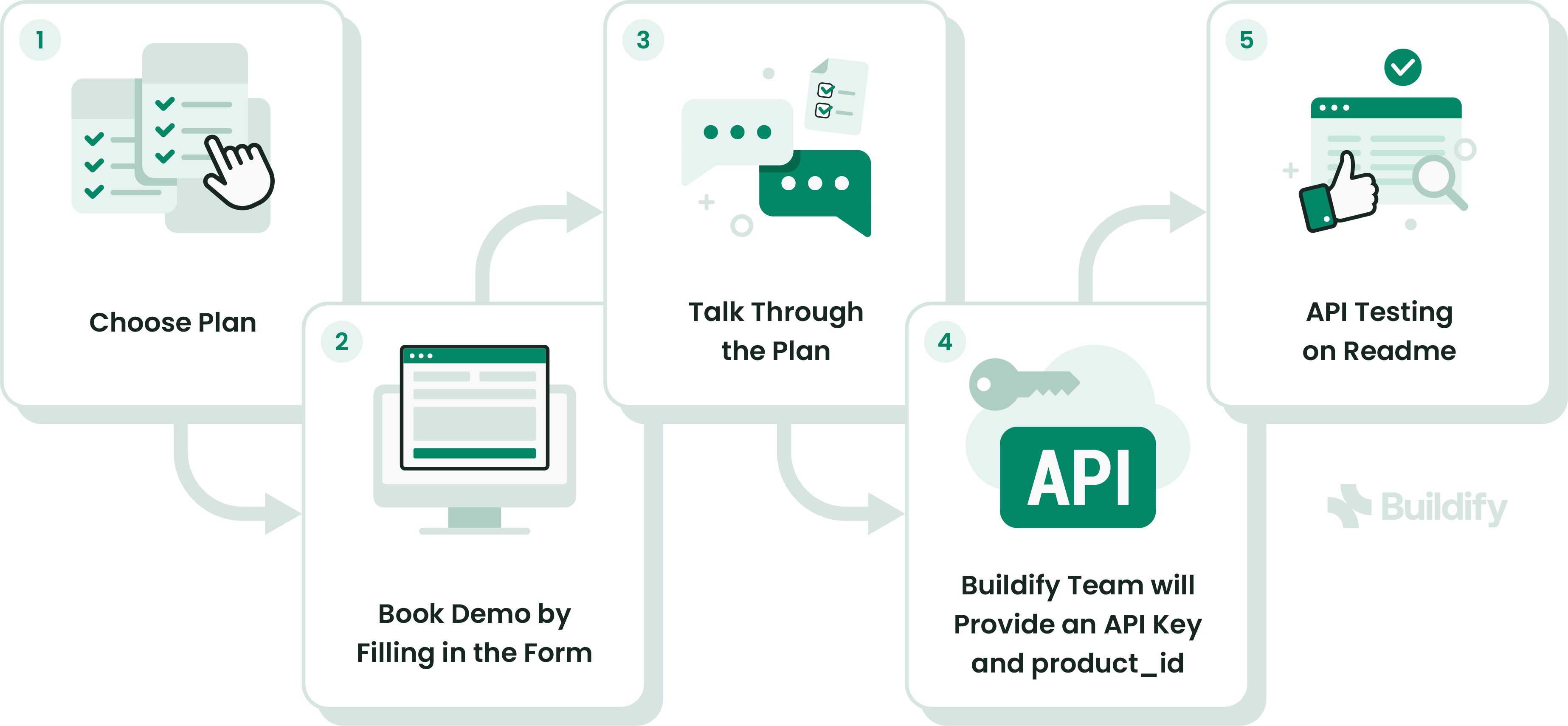 #### Step 1: Choose a Plan
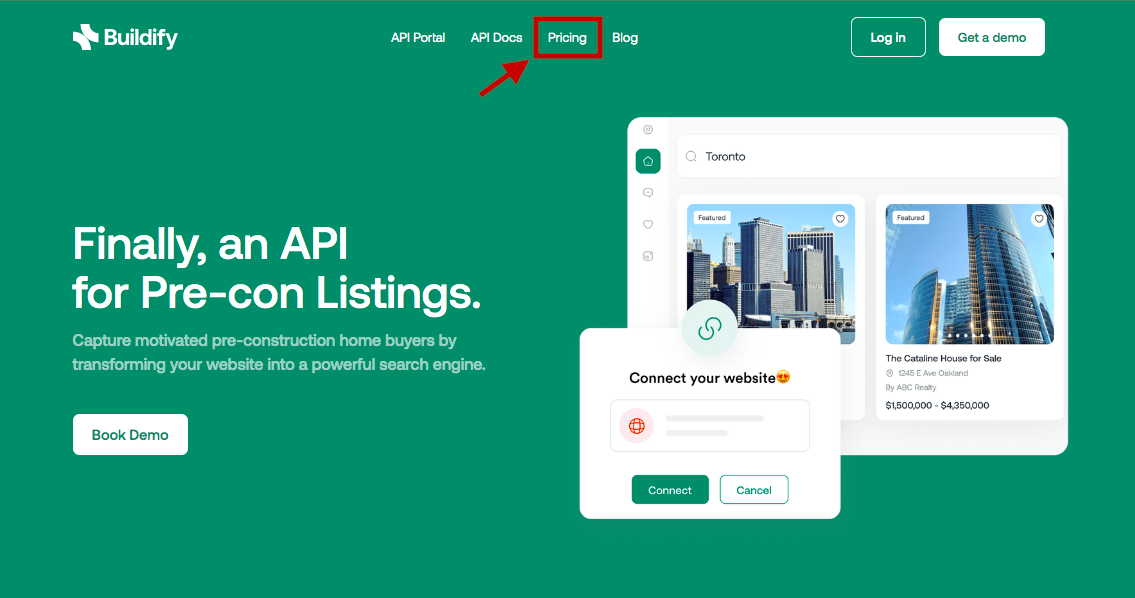
1. Open the Buildify website [here](https://www.getbuildify.com/).
2. Navigate to the **Pricing** tab.
#### Step 1: Choose a Plan
1. Open the Buildify website [here](https://www.getbuildify.com/).
2. Navigate to the **Pricing** tab.
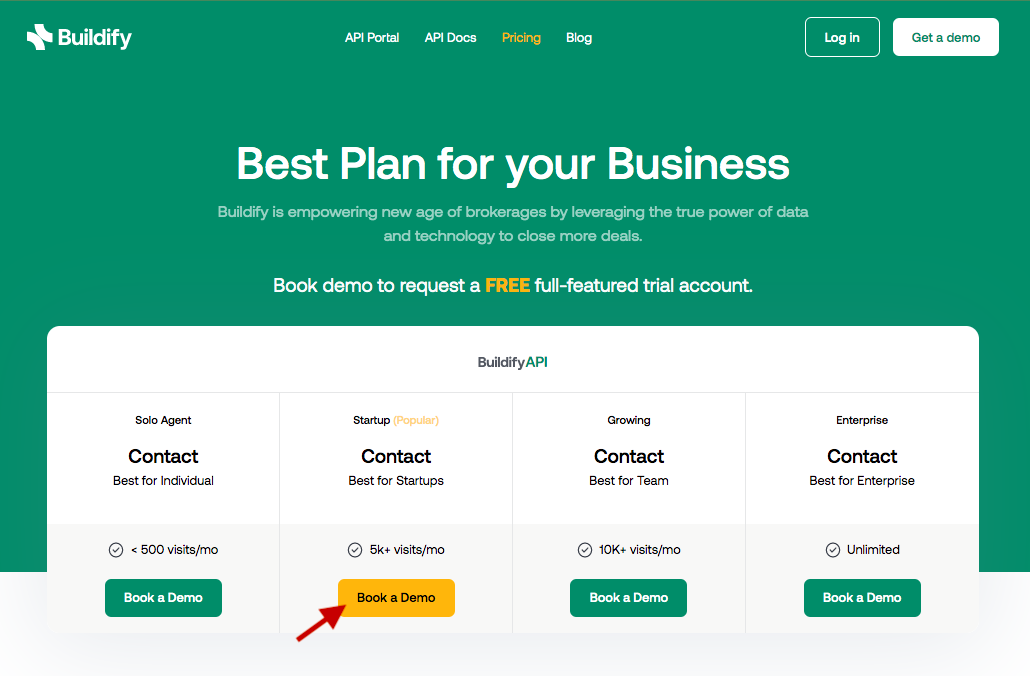
 3. Select your desired plan by clicking the **Book Demo** button.
 #### Step 2: Book a Demo
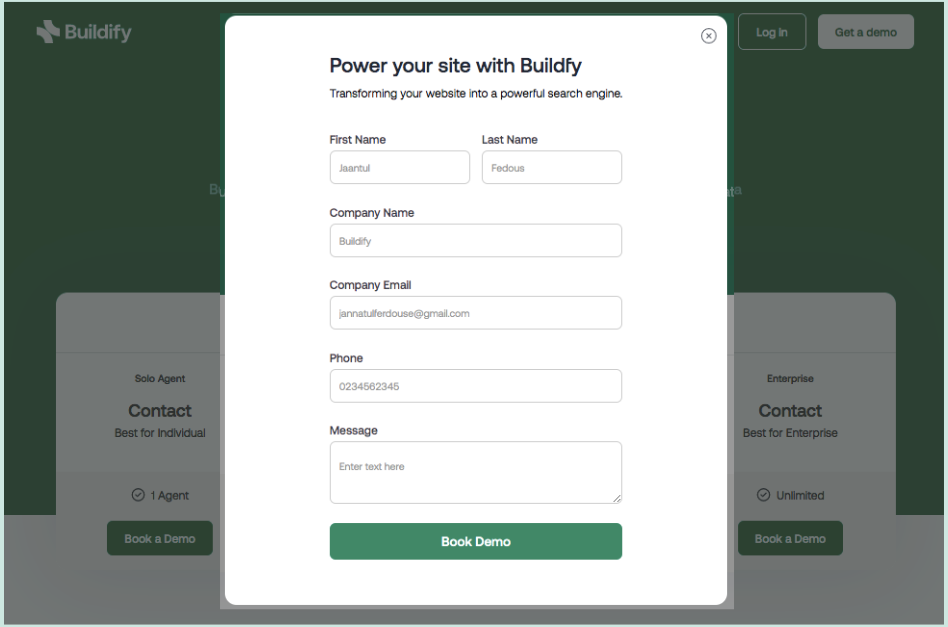
Upon clicking the **Book Demo** button, you will be redirected to a contact form.
Fill in all the required fields on the form because our team will collect your contact information and reach out to you to schedule a demo session.
#### Step 2: Book a Demo
Upon clicking the **Book Demo** button, you will be redirected to a contact form.
Fill in all the required fields on the form because our team will collect your contact information and reach out to you to schedule a demo session.
 #### Step 3: Buildify Demo
We will walk you through our API demo, where you can find a solution and real-life cases about your business. We will also help you find the most suitable plan according to your needs and budget.
#### Step 4: Buildify Team will Provide the API Key
We will provide you with your Buildify API Key, after you subscribe to one of the available Buildify product packages.
Open the **[Authentication](/reference/authentication-1)** page for more details.
#### Step 5: Test API on Readme
Now you have acquired your API Key. You may begin to play around with our API endpoints by following the steps below:
1. Click the **[Search Listings](/reference/search-listings)** endpoint under the **Listings**.
2. Copy your **API Key**, and paste it in the **Authentication Header** on the right side.
To obtain a result based on specific criteria (Such as radius, coordinates, attributes), you can fill in the available **Query Params**.
4. Click the "**Try It!**" button on the request sample section, which will generate either a successful or error response in the response section.
#### Step 3: Buildify Demo
We will walk you through our API demo, where you can find a solution and real-life cases about your business. We will also help you find the most suitable plan according to your needs and budget.
#### Step 4: Buildify Team will Provide the API Key
We will provide you with your Buildify API Key, after you subscribe to one of the available Buildify product packages.
Open the **[Authentication](/reference/authentication-1)** page for more details.
#### Step 5: Test API on Readme
Now you have acquired your API Key. You may begin to play around with our API endpoints by following the steps below:
1. Click the **[Search Listings](/reference/search-listings)** endpoint under the **Listings**.
2. Copy your **API Key**, and paste it in the **Authentication Header** on the right side.
To obtain a result based on specific criteria (Such as radius, coordinates, attributes), you can fill in the available **Query Params**.
4. Click the "**Try It!**" button on the request sample section, which will generate either a successful or error response in the response section.